Features
Everything you need to manage competency
Requirements by role, verified levels, gap analysis and a full audit trail, in one portal your whole organisation can use.
What you get
One place for requirements, evidence and gaps
Requirements by role
Set requirements in five layers: core, leadership, skill pool, section and career track. Each person sees exactly what applies to their grade and role, with the highest level winning where layers overlap.
Clear, honest status
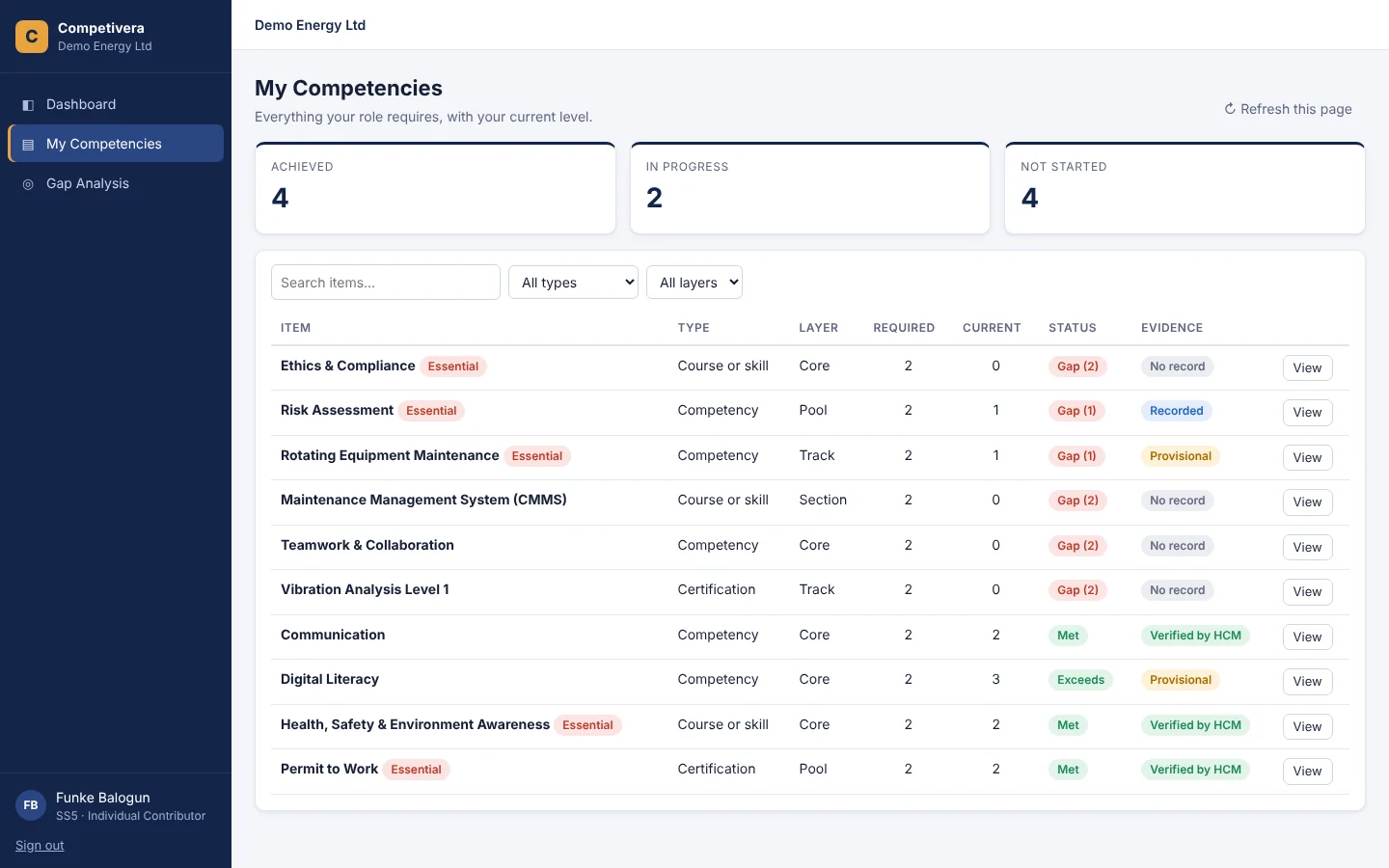
Every item shows Met, Gap or Exceeds against a 1–4 proficiency scale. Essential items are flagged, so everyone knows what matters most.
Verified by HCM
Levels are marked Verified by HCM, Provisional or Recorded. Only your HCM manager can verify, so the numbers your leaders see can be trusted.
Gap analysis
Staff see their top priorities with recommended actions. HR sees the most common gaps, essential gaps and achievement by skill pool across the organisation.
Bring your own framework
Start from a ready-made framework or paste yours straight from Excel. Every row is checked before it’s saved, and staff lists import the same way.
Full audit trail
Every change records who made it, when and why, with a link to the sign-off document. Framework rows are retired, never deleted.
Coming soon: evidence submission with approval chains, development plans approved by line managers, a certificate register with renewal alerts, and training nominations.
For every employee
Everyone knows what “good” looks like
Staff open the portal and see every requirement for their role, their current level, and whether it has been verified. Priority gaps come first, so the next step is always obvious.
For HR and leadership
A live view of capability
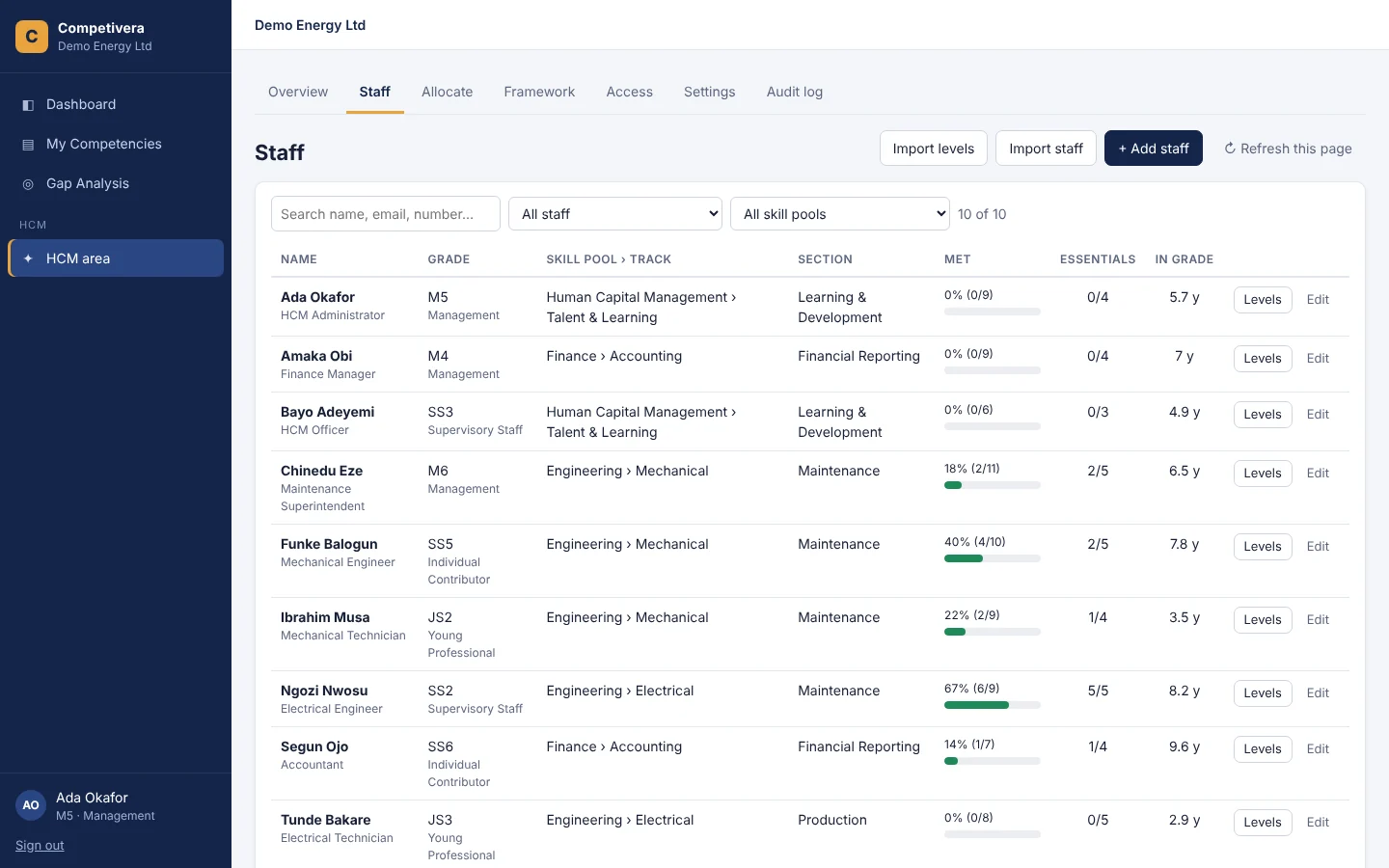
See who meets every essential item, who has been in grade longest, and where provisional levels still need checking. Filter by skill pool, then act on the gaps that matter.
How it works
Live in days, not months
1
Set up your framework
Start from the built-in framework or paste your own from Excel: grades, career stages, skill pools and requirements.
2
Add your people
Import staff from a spreadsheet, allocate skill pools and sections, and choose your line managers and HCM team.
3
Record and verify levels
Load current levels as Provisional, then verify them as evidence is seen. Everything is logged.
4
Act on the gaps
Use personal and organisation-wide gap analysis to target training where it counts.
Built for every role
The right view for each person
Staff
- See every requirement for your role
- Know your level and what’s verified
- Get your top priorities and next steps
Line managers
- See your team’s requirements
- Spot essential gaps early
- Support development conversations
HCM team
- Maintain the framework by layer and stage
- Import staff and levels from Excel
- Verify levels with a full audit trail
Leadership
- Organisation-wide capability at a glance
- Achievement by skill pool
- Most common and essential gaps
See your organisation’s capability clearly
Set up a free workspace in minutes, or let us walk your HR team through it.